The reservation system

I made a train reservation system in Java for an internship I did. Here is a screenshot:
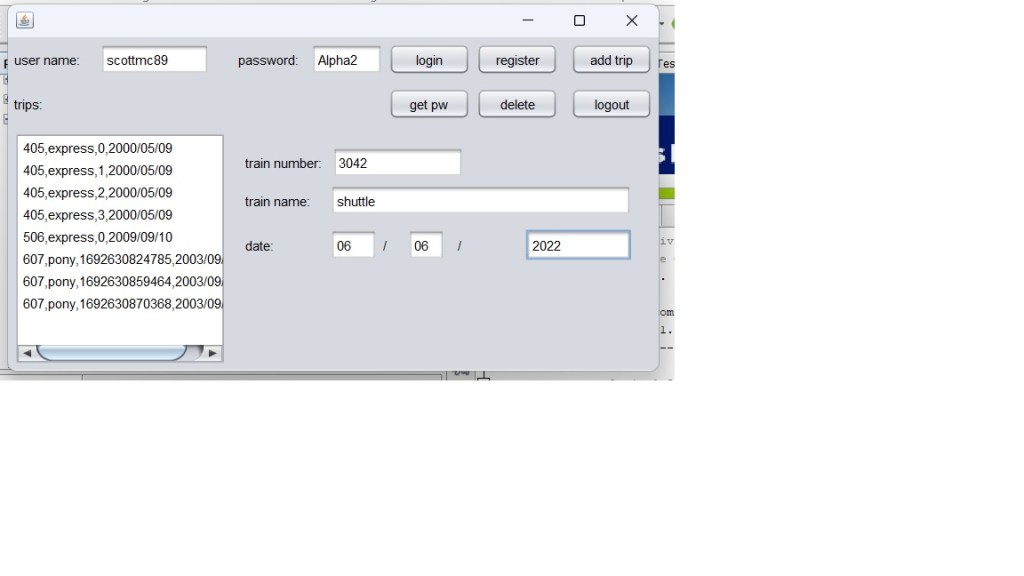
To use it, here are the steps:

  1. Register: Enter a username where it says username and a password where it says password. Just be sure to remember it. Hit the register button like so:
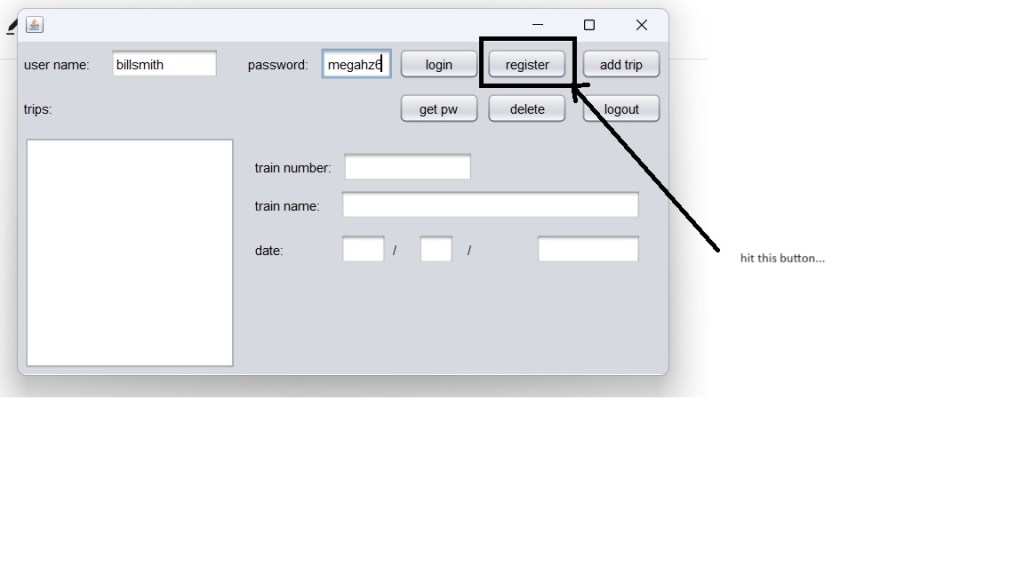
It should display a popup saying you have registered, like so:

2. login: Hit OK on the popup, then type in your username and password, and login. You should see a list of trips on the side:
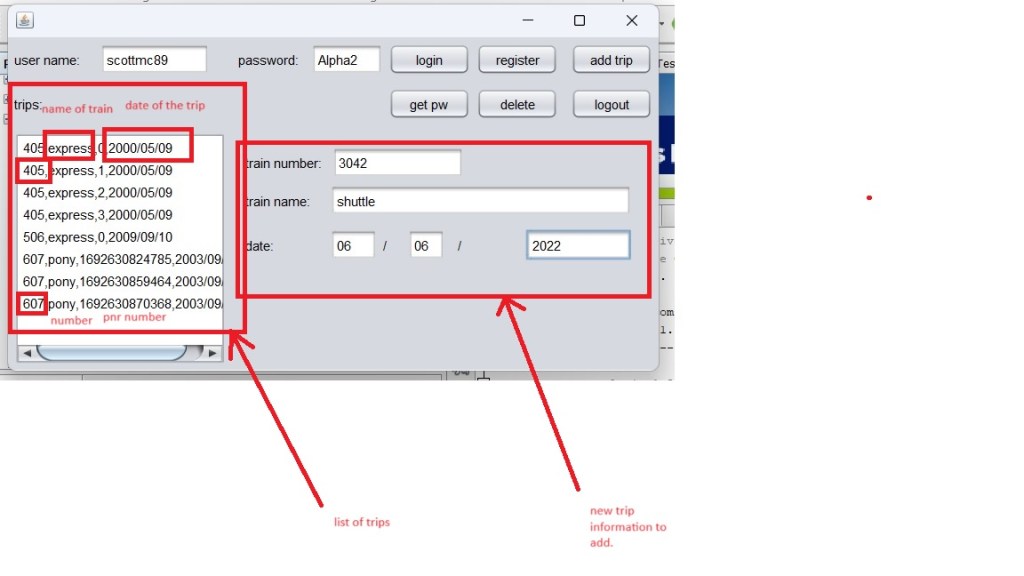
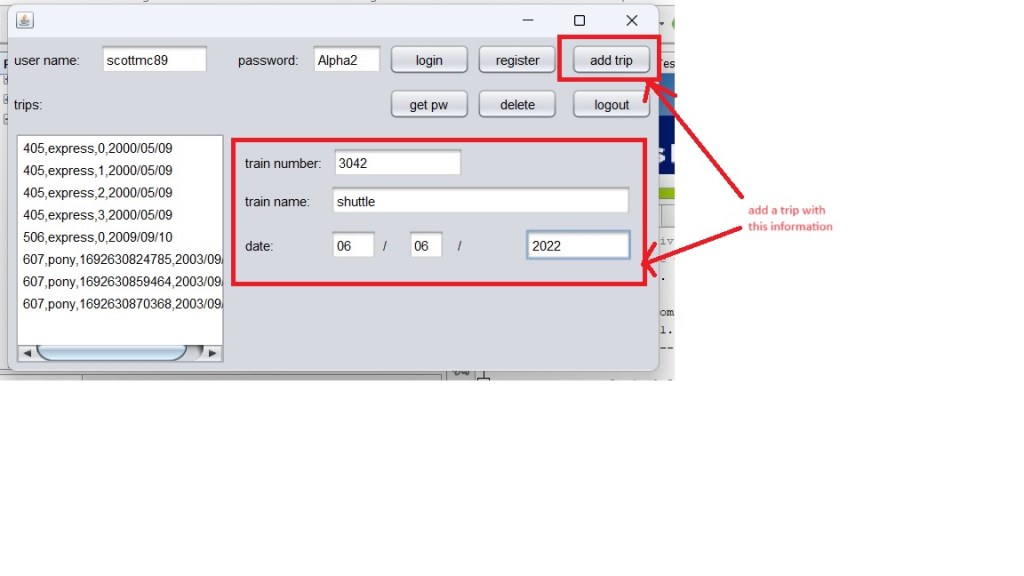
Within each item in the list, there is a train number, a PNR number, a train name, and a date. When logged in, you can see each item that was put there previously. To add a trip, fill in the new trip information on the right, and hit the “add trip” button at the top like so:
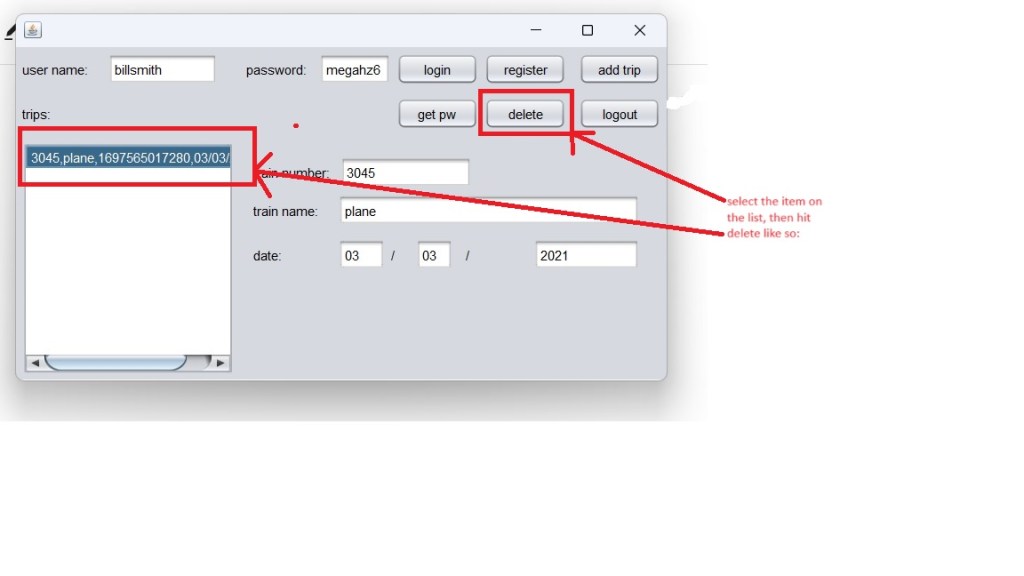
3. Delete a trip: First, select a trip on the left hand list, then hit “delete” like so:
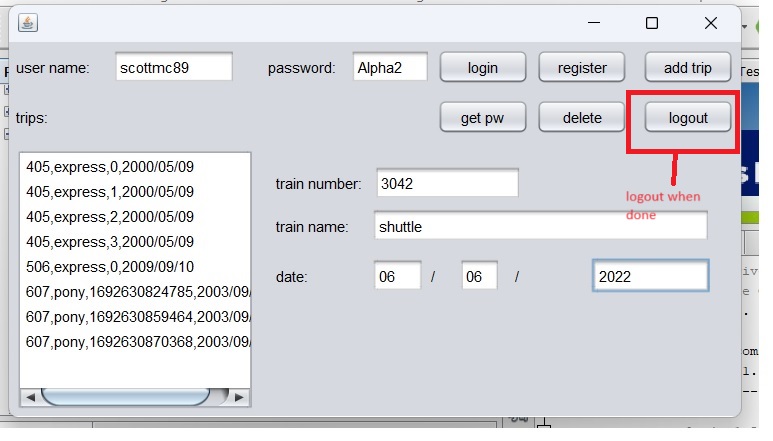
4. When you are done, hit logout right next to delete like so:
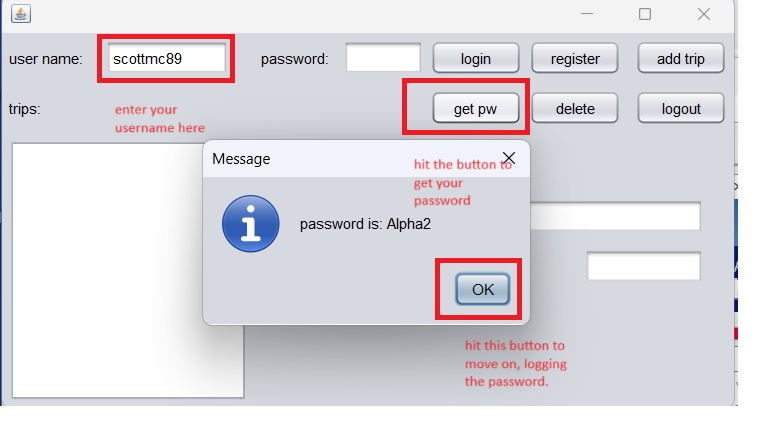
5. Get password, in case you forget: Here is how you can retrieve a password, if you remember your username, type in your username in the user name field, then hit “get pw”, like so:
Here is how the software works: At a low level, there is a user class, and a traininfo class. Here is the definition for the user class:
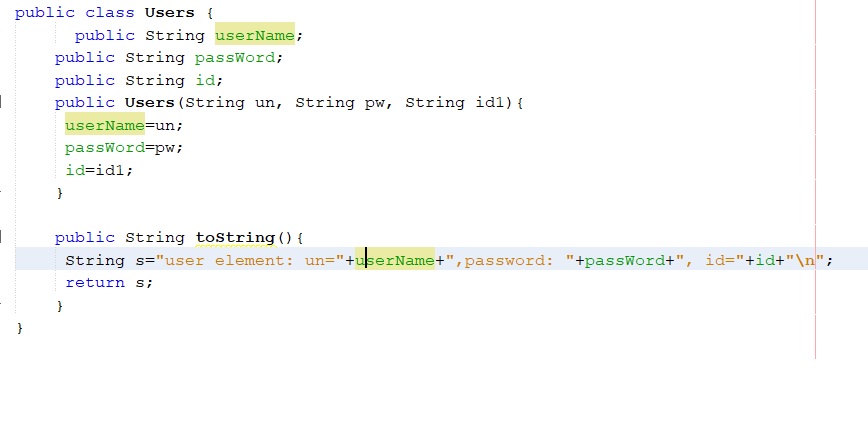
And here is the definition for the traininfo class:

Above those two are collection classes allowing for CRUD operations on lists of the traininfo and user classes, they are traininfolist and userlist. The main class, trainappmaven, has all the functions that allow for login, logout, delete a trip, and all of that. On top of the main class, we have the frame class with the action handlers for your buttons and text fields. Inside the trainappmaven, we have a small database connection that allows for communication with access. It allows for a big read of the db to populate the user list and train list. Here is the code on my Github: https://github.com/smc897/OIBSIP
Progress in 2023

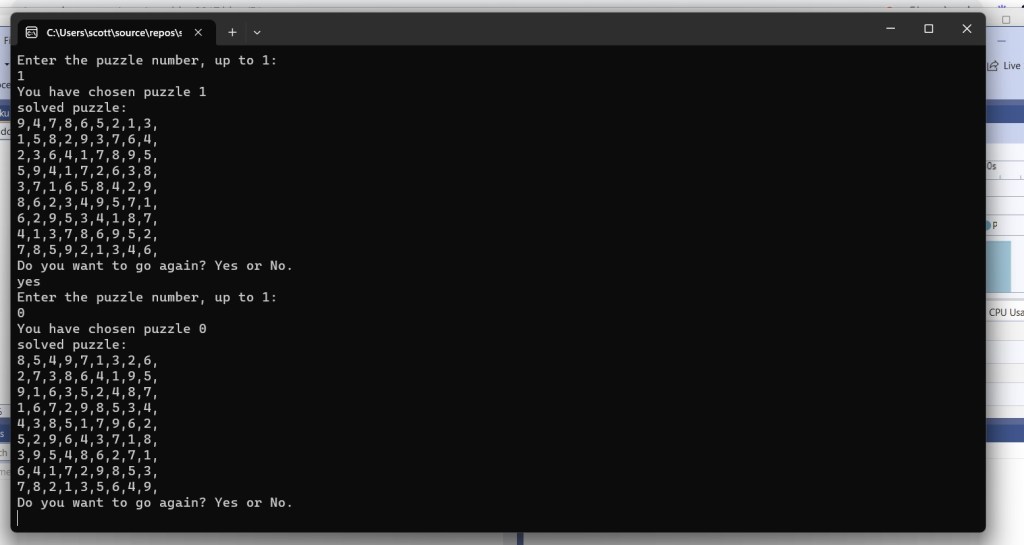
I started this blog in 2017. I made a couple posts. I have worked on some projects this year, some are simple, some are more involved. I made a Sudoku solver on a Saturday morning. Here is a screenshot of how to use it:

Here is how to use it: enter the puzzle number, up to and including the max number that it gives you. It spits out the solved puzzle. It asks you if you want to go again, enter yes or no. Capitalization doesn’t matter. Run as many times as you want, enter no to quit.

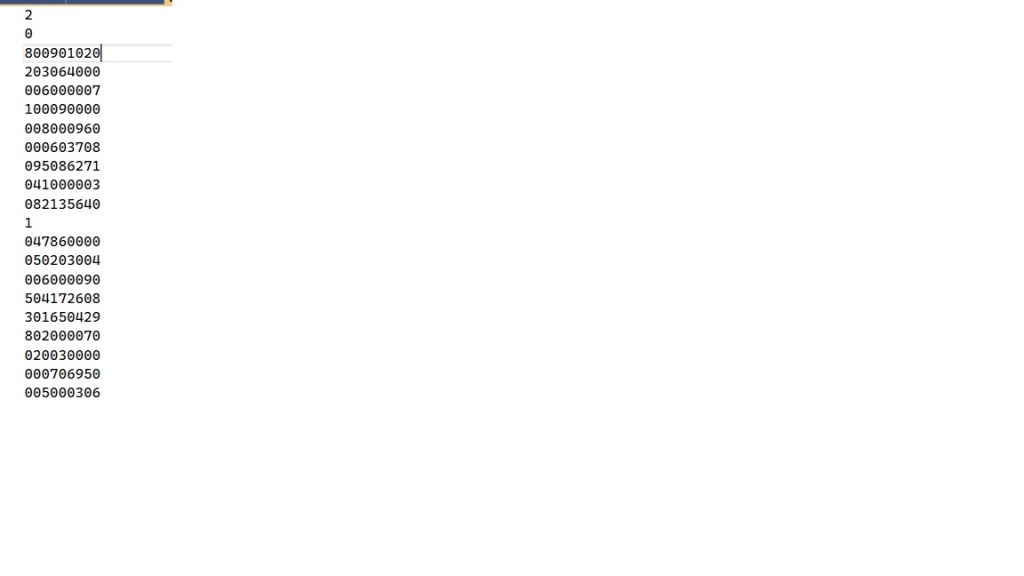
To add a new puzzle, here is how you do it:

The 2 at the very top corresponds to the number of puzzles in the file. The next line down, 0, refers to puzzle 0. The next nine lines are the contents of puzzle 0. After that, we have 1, which stands for puzzle 1. Then, we have the nine lines for puzzle 1. To add a puzzle, add the puzzle number, which is 1 above the closest one above. Also, increment the very top number of the file. Then, after the puzzle number, add the nine lines of content. Save. The program is ready to run.

How the program works:

The way the program works is as follows:

  1. Get the maximum number of puzzles from puzzles.txt, put into max.
  2. Prompt the user for the number of the puzzle, from 0 to max. If the user’s response is out of range, try again until the response is in range.
  3. Load the proper puzzle from the file, into a list of integers.
  4. Solve the puzzle, put the solved puzzle into another list of integers.
  5. Display the puzzle in the console.
  6. prompt the user for a yes or no whether they want to go again. Convert the response to all upper case so that they can enter lower or upper case.
  7. repeat.

Next is how the solver works.

How the solver works:

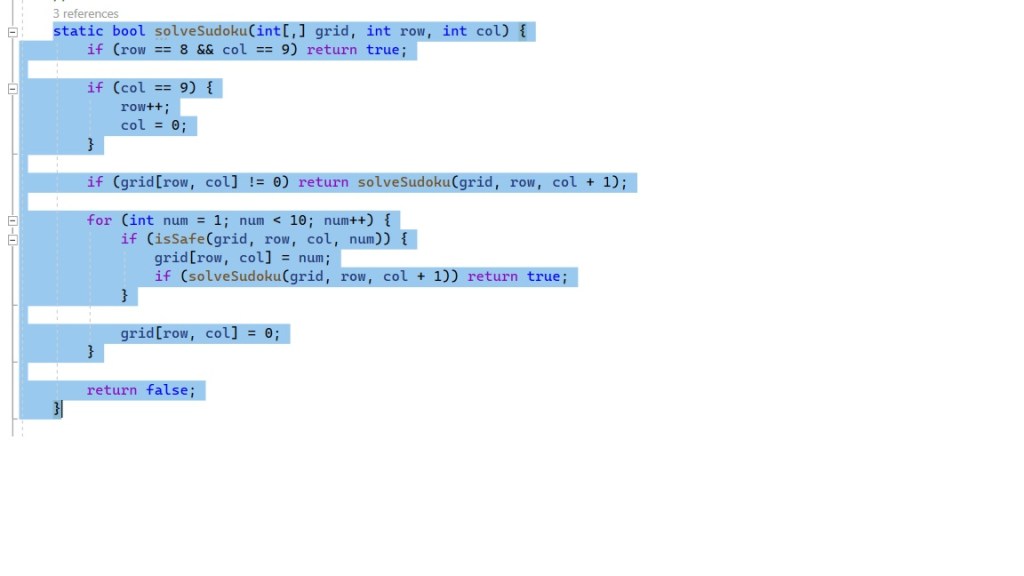
The solver uses a backtracking algorithm, basically guessing each cell, and testing if it is safe via row, col, and box. Here is the code, based off of the code on GeeksforGeeks:

As you can see, it basically runs thru 1..9 for each cell, when it finds one that is safe, it places it into the cell, then moves onto the next cell. When it advances past the end of the puzzle, it returns back to the main loop. Cool. There is some junk dealing with converting between lists and arrays, for a better look here is the code on my Github: https://github.com/smc897/sudoku